Manually change your DNS

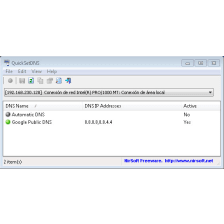
Windows DNS Changer allows you to change the DNS servers you use to surf the web.

Top Recommended Alternative

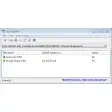
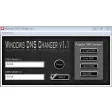
The interface consists of a single screen and allows you to choose between four DNS servers: Google DNS, Open DNS, DNS Sprint, or those of your provider, but you'll have to enter the information manually.

The app doesn't require installation, has no options, and is very easy to use. However, it lacks a benchmark system to check which DNS server is faster and more convenient to use from those available.


  • Pros

    • Four DNS servers to choose from
    • Change DNS with one click
    • No installation required
  • Cons

    • No options
    • Improved design
    • Missing a DNS benchmark system

App specs

  • License

    Free

  • Version

    1.1

  • Latest update

  • Platform

    Windows

  • OS

    Windows Vista

  • Language

    English

  • Downloads

    36.2K

    Last month's downloads

    • 45
  • Size

    8.65 MB

  • Developer

Program available in other languages


User reviews about Windows DNS Changer

3.6

1 reviews

Add review

Main reviews for you

  • Anonymous user

    THE FASTEST INTERNET EVER!. Works i downloaded a 1.5 gb file in 30-45 minutes or soo it downloaded at 1.45 mbps!! Pros: FastWorks And Easy To Use Cons: The Music Really Scared Me!The Gui Is Not The Easiest.

More

You may also like

Alternatives to Windows DNS Changer

Explore Apps

Latest articles

Laws concerning the use of this software vary from country to country. We do not encourage or condone the use of this program if it is in violation of these laws.
Softonic

Is Windows DNS Changer safe?

Score result: Warning

This file has been flagged as potentially harmful or containing unwanted bundled software. Please proceed with caution.

  • Virus free
  • Spyware free
  • Malware free
  • Verified by Security Partners

    VirusTotal logo

Scan Info

Last scan
Wednesday, December 2, 2020
Scan provider
VirusTotal

Softonic security notice

This software has been thoroughly scanned by our advanced security systems and verified by industry-leading partners. However, one or more antivirus engines have flagged this software with potential risks. While these detections may be false positives, we recommend caution when downloading and installing. Some programs may include unwanted software or behaviors that could affect your device. False positives can occur when safe software is mistakenly flagged as harmful due to overly cautious detection rules or algorithms in antivirus tools. This means the program may still be safe to use, but we advise reviewing the details before proceeding.